AWS Transform for mainframe’s November 3 update is a real step forward for the analysis half of a mainframe modernization. You get a more precise catalog of business functions and a report showing that every line of COBOL or PL/I is accounted for in the generated requirements. What it doesn’t do is make the new system correct, move your data, run your batch on time or get you through cutover. Those still need engineers. If anything, the coverage report makes it easier to see exactly where they’re needed.
This post is for CIOs, mainframe program leads and architects deciding what AWS Transform covers and what to staff around it. For the bigger picture, including AWS closing its older Mainframe Modernization service to new customers, see our mainframe exit options.
What changed on November 3?
From AWS’s announcement:
- Field-level business functions. Business functions are now grouped only when they affect the same data fields, not merely the same table or file. They also include screens and queues and come with clearer names and descriptions.
- A requirements coverage report. In AWS’s words, every line of source code is classified by how it was handled, every business rule links to the exact lines it came from, and every requirement is backed by the business rules that support it. You can review coverage from the portfolio down to a single line before moving into forward engineering in Kiro or other IDEs.
- Scope: z/OS COBOL and PL/I, in the assess and reimagine workflow, in Regions where AWS Transform for mainframe is available.
Before this, AWS says, functions that shared a table or file were lumped together, and you had to build your own traceability from AWS Transform’s artifacts.
What does the coverage report actually prove?
AWS’s June post on the reimagine workflow explains the method. Data paths are traced deterministically from entry points to outputs. An LLM names and groups them into business functions. Rules are extracted by static analysis that slices the code at business-significant operations. Each rule gets a disposition: captured, not applicable or delegated. The headline metric is “not accounted for = 0.”
So the report is good evidence of completeness of the requirements: no business logic in the analyzed code was silently dropped on the way to the spec. That’s useful. It addresses a fear that has sunk plenty of rewrites, the rule nobody knew about.
It is not evidence of:
- Correct interpretation. A rule can trace to the right lines and still be described wrongly. The grouping and naming steps use an LLM. Someone who knows the business has to read the requirements and agree.
- Equivalence of the new code. The report stops at requirements. Whatever writes the new code, whether people, Kiro, another coding agent or a mix, has to be proven against the old system’s behavior.
- Completeness of the inventory. Coverage is measured over the code you fed in. Missing copybooks, unsupported languages, vendor utilities, assembler exits and scheduler logic outside the source are only covered if they’re in scope. AWS’s own workflow flags missing files for exactly this reason.
- Correct “not applicable” calls. Platform mechanics marked not applicable, such as file handling and checkpoint/restart, often hide behavior the business relies on, like restart points in a long batch job.
What still needs engineers after AWS Transform?
Data: Db2, VSAM and IMS don’t migrate themselves
The reimagine output describes what the new system must do with data. It doesn’t move decades of data across. You still need target schema design, EBCDIC and packed-decimal conversion, key and sequence handling, reconciliation counts and control totals, and usually change data capture so the mainframe and target stay in sync until cutover. We’ve written about Db2 for z/OS to PostgreSQL with CDC if that’s your target.
Batch and JCL: the schedule is part of the application
Business functions are cataloged as online, batch or mixed. But the nightly sequence, dependencies, restart points and the window it has to finish in live in JCL, the scheduler and operators’ heads. Someone has to rebuild that orchestration and prove it still fits the window, with production-scale data, before cutover.
Equivalence testing and parallel runs
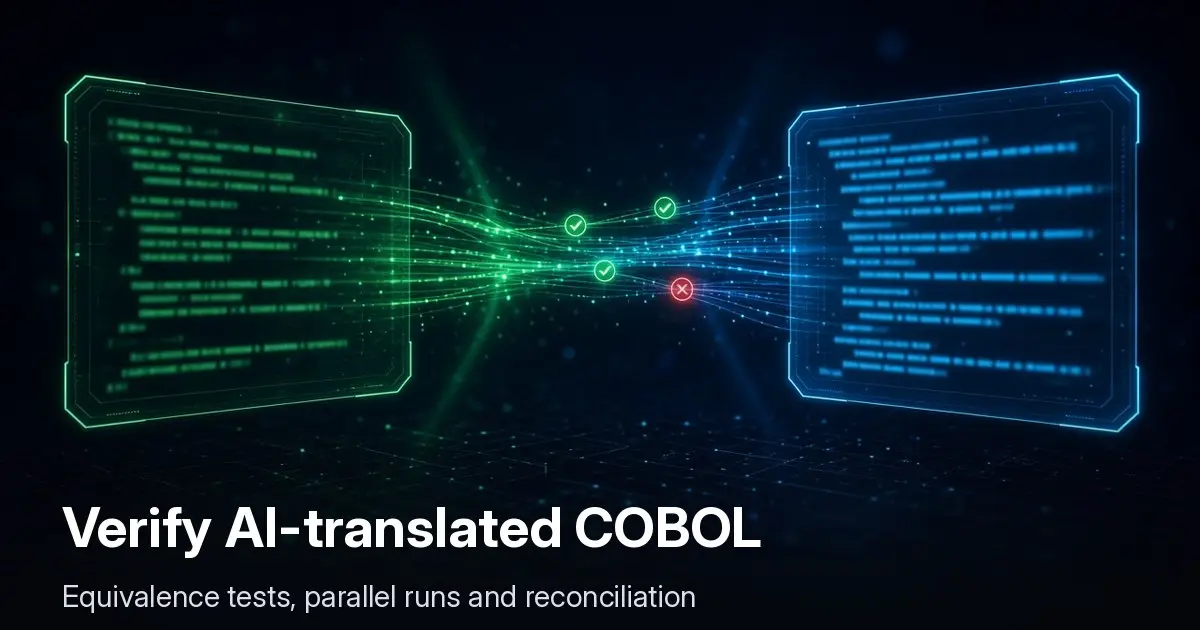
Run old and new side by side on the same inputs and compare outputs field by field, including rounding, sort order and edge dates. Then run in parallel in production for at least one full business cycle that includes month-end. We lay out the method in how to verify AI-translated COBOL.
Interfaces and the things around the code
File transfers, MQ queues, print and report distribution, security (RACF rules become IAM and application roles), and every downstream consumer of a mainframe extract. None of this is in the COBOL.
Cutover, rollback and the cost proof
A cutover plan with rehearsals and a rollback path, plus a cost baseline so you can show the savings actually arrived. That last one matters most to the CFO and is easy to skip.
How should we use AWS Transform in a real program?
- Use the business function catalog for wave planning. Field-level grouping should give you smaller, more independent first waves. Pick a self-contained function with clear inputs and outputs.
- Treat the coverage report as an acceptance artifact. Make “not accounted for = 0” a gate for each wave, and add a business sign-off on the requirements text.
- Review every “not applicable” disposition with someone who knows operations. That list is where restart logic, audit trails and odd regulatory behavior hide.
- Put equivalence tests in the definition of done for forward-engineered code, not just unit tests generated from the same requirements. Tests generated from the spec can only check the spec.
- Plan data and batch as separate workstreams from day one, with their own owners.
FAQ
Do we still need a modernization partner if we use AWS Transform?
You need people for the work AWS Transform doesn’t do: data, batch, testing, interfaces, cutover and proving the cost case. Whether that’s your team, a partner or both depends on your staff. The tool shortens analysis; it doesn’t remove delivery.
Does AWS Transform handle IBM i (AS/400) RPG?
The November 3 update covers z/OS COBOL and PL/I. Check AWS’s documentation for current language support before assuming anything else is in scope.
Is AWS Transform free?
Check AWS’s current pricing page. We don’t quote AWS pricing here because it changes. Budget separately for the target platform, data migration and the parallel-run period, when you pay for both systems.
What are the alternatives to AWS Transform for mainframe?
Rehosting with a vendor runtime contracted directly, other refactoring toolchains, a staged offload of batch and reporting, or staying on the mainframe and cutting the bill. We compare them in our mainframe exit guide, and cover the software-cost side in what sets your z/OS bill.
How we work on mainframe migrations
We do the engineering around the tooling: data, batch, equivalence testing, parallel runs and cutover, using AWS Transform where it fits. Our mainframe migration work has no upfront fee. We’re paid a share of the net savings in licensing and compute, measured against a baseline we agree on before work starts. For related legacy modernization work outside the mainframe, we run a scoping sprint and then a fixed-scope, fixed-fee build with a US-based team. If you’re deciding how much of your program AWS Transform can carry, book a call.